
Word Search Journey: Find Word
Playful BytesWord
4.8653.00 Reviews
- Version
- 1.2.3
- Installs
- 500.00K
- Age Rating
- Everyone
Screenshots
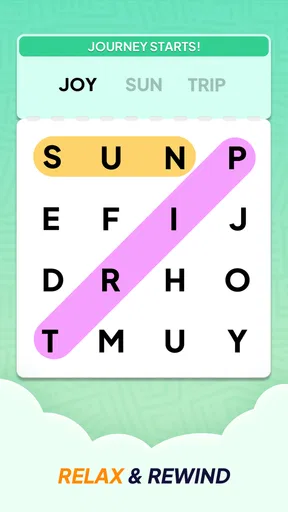
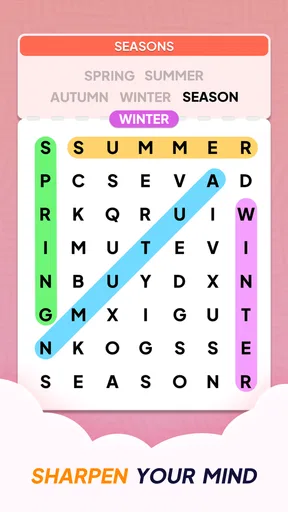
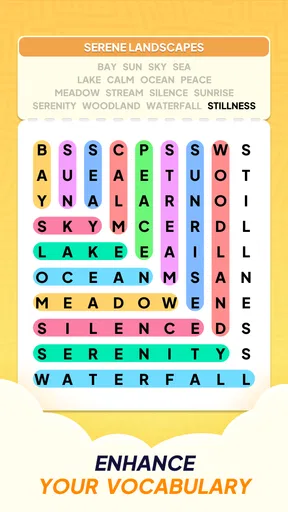
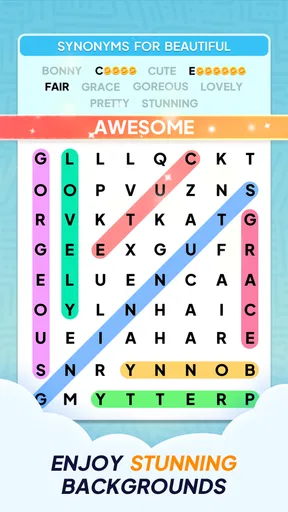



Our Review of Word Search Journey: Find Word
 Analysis by Appyee
I tend to keep a word puzzle on my phone for the moments when I want something quiet rather than competitive. Word Search Journey: Find Word fits that mood well: it is a free word game from Playful Bytes built around word-search puzzles, with an offline-friendly approach that makes it practical for a shared tablet, a waiting room, or a calm evening at home. I found it easy to start without learning a complicated system, and the relaxed pace makes it especially approachable for older players.
What makes this title worth considering is not a flashy presentation or a deep social layer. Its appeal is the simple act of scanning letters, spotting a hidden word, and moving on to the next puzzle. The game is listed for everyone, and its broad age rating matches the gentle nature of the experience. Still, a household should think about how people will share it, who is using the device, and whether optional purchases fit the way the device is managed.
A calm word game that works well on a shared device
My favorite use case is a household tablet left in a common room. One person can play for a few minutes after breakfast, another can pick it up later, and nobody needs to coordinate a live match or wait for an opponent. That makes it different from many modern mobile games, which often assume one dedicated player, a constant connection, or a competitive routine.
The basic activity is familiar: examine a grid of letters and find the requested words. That familiarity is a strength for families because an older relative can understand the objective quickly, while a younger player can take over without needing a long explanation. I would not describe it as a game that demands a tutorial session. The main challenge is visual attention, not learning a complicated control scheme.
For a shared device, I would treat it as a pass-the-device activity rather than a multiplayer game. The experience is naturally individual, so each person should agree on whether they are continuing the same progress or simply playing whatever puzzle is currently open. That small conversation prevents the common household problem where one person advances and another assumes the device was left at their place.
A useful routine is to give the tablet a regular resting place and decide that the current puzzle belongs to whoever is holding it. This is not a special feature of the game; it is simply the most sensible way to use a solo word-search title in a family setting. If several people want separate long-term progress, separate devices are a cleaner arrangement than expecting the game to behave like a multi-profile family service.
The offline angle is particularly helpful here. I could imagine using it during a car journey, in a room with unreliable reception, or in a home where the shared tablet is not always connected. Offline play also changes the atmosphere: there is less temptation to check messages, compare scores, or turn a quiet puzzle into a constant online activity. For someone who wants a small mental break, that simplicity is a real advantage.
What the first session feels like
The first session is best approached as a short test rather than a commitment. Open a puzzle, check whether the letter size is comfortable, and see how quickly your eyes tire. Word searches can look easy while still requiring sustained scanning, especially on a smaller phone. On a tablet, the same kind of puzzle is likely to feel more comfortable for an older player, although the actual experience will depend on the device and personal eyesight.
I recommend holding the device at a stable distance instead of playing while walking or multitasking. The game is relaxing when attention is focused on the grid, but that same concentration makes it a poor choice for someone who wants something to play with one hand while doing another task. A household member who struggles with small text should try the game on the largest available screen before deciding whether it is suitable.
The store information identifies the game as free, which makes trying it straightforward. It also includes optional in-app purchases ranging from less than a dollar to under twenty dollars per item. That range matters in a shared-device environment. A child, guest, or relative may see a purchase option even if the person who owns the device does not intend to spend money, so the device’s normal purchase protections should be handled before handing it over.
Setting boundaries before someone else plays
I would separate three questions before installing it on a household device: who owns the device, who is allowed to play, and who is allowed to approve purchases. Those are account and household decisions, not gameplay features. The game itself should not be treated as a substitute for the device owner’s purchase settings or the family’s agreement about spending.
Because the game is free to download, it is easy to assume that every part of the experience is cost-free. That would be an unsafe assumption. The presence of optional items means I would explain to a child or visiting relative that tapping a purchase prompt is not part of solving the puzzle and requires permission. On a device used by several people, that simple rule is more useful than relying on everyone to understand the store screen.
I would also avoid presenting the game as a shared account experience unless the household has already decided how progress should be handled. A person may expect their own history, unlocked content, or preferred starting point to remain untouched. If the app does not provide the separation a household needs, the practical answer is to reserve it for one user or use another device. It is better to establish that boundary early than to discover it after someone changes the current state.
For an older relative, setup should focus on visibility and comfort rather than technical detail. Place the app where it can be found easily, keep the device charged, and remove unrelated distractions from the immediate screen if possible. I would demonstrate one puzzle, show how a word is selected, and then let the player try independently. The goal is confidence, not a long explanation of every possible option.
There is also a useful distinction between a shared screen and a shared account. A family can sit together and solve a puzzle as a group without needing every person to have control over the same ongoing progress. In fact, collaborative solving can be more enjoyable when one person searches across the top of the grid and another checks the lower half. That creates conversation without pretending the game has a formal cooperative mode.
Coordinating turns without making the game feel like homework
Word searches are easy to interrupt, so a household can build a flexible routine around them. Someone can play while waiting for tea, pause when conversation starts, and return later. I would not schedule strict turns unless several people genuinely want them. The game works better as an available quiet activity than as another family obligation.
When two people share the same device, a small note beside the tablet can help: write the player’s initials and the puzzle they were working on. This is a simple household workaround, not an in-game tracking tool, but it prevents confusion when several relatives use the same screen. It is especially useful if one person prefers to finish a puzzle without anyone else revealing words first.
Another good arrangement is to make the game a conversation starter. A younger family member can sit with a grandparent and search together, but the younger player should avoid taking over the grid. Letting the older player identify the words keeps the activity mentally engaging. If help is needed, give a location clue such as “look near the left edge” rather than immediately pointing to the answer.
This approach also reveals one of the game’s trade-offs. It is suitable for relaxed shared time, but it is not an ideal choice when everyone wants a clear score, a competitive ranking, or a synchronized challenge. A dedicated multiplayer word game would be better for that purpose. Word Search Journey: Find Word is more naturally a quiet individual puzzle that happens to be easy to pass around.
For a person recovering from screen fatigue or looking for a low-pressure activity before bed, I would keep sessions short and stop when scanning starts to feel tiring. The fact that a game is relaxing does not mean unlimited screen time is comfortable. A timer outside the game, or simply a household habit of taking breaks, can make the experience more pleasant without changing the way the puzzles work.
Age context, trust, and who should use it
The everyone rating is reassuring for households looking for a non-violent, broadly accessible word activity. That does not mean every player will find it equally comfortable. The main suitability questions are reading ability, eyesight, patience, and familiarity with touch controls. A child who is still learning words may need support, while an older adult may enjoy the puzzle but prefer a larger display.
I see the strongest fit among seniors and adults who enjoy traditional word searches but want them available on a phone or tablet. It can also suit someone who dislikes timers, reflex-based controls, and noisy game mechanics. The experience asks for observation and persistence, which gives it a different rhythm from match-three games or fast arcade titles.
It is less convincing for players who need a strong sense of progression, a story, or frequent novelty beyond finding words. If you want character development, elaborate levels, or a social competition, this will probably feel too focused. Likewise, people who find repeated letter scanning monotonous may prefer a crossword, an anagram game, or a daily word challenge with more varied clues.
Trust is still important even with an everyone-rated game. A child using a parent’s phone may have access to the same store account used for other apps, and a shared tablet may be left unlocked. I would explain the purchase boundary in plain language and keep the owner responsible for approving anything that costs money. The free entry point is convenient, but convenience should not replace supervision where spending is concerned.
For older players, I would also check whether the device itself is comfortable. A game cannot compensate for a dim screen, cramped text, or a touch surface that is difficult to use. If the player keeps missing letters because the phone is too small, moving to a tablet may improve the experience more than changing the player’s strategy. That is one reason this title makes particular sense on a device that can remain in a common household area.
How it compares with familiar word-game alternatives
Compared with a crossword, this game is more direct. A crossword asks the player to interpret clues, recall facts, and enter answers, while a word search gives the target vocabulary and turns the task into visual discovery. I would recommend the word search to someone who wants fewer language barriers or does not enjoy guessing clues. I would choose a crossword for a player who wants more variety in reasoning and vocabulary recall.
Compared with an anagram game, the experience is less about rearranging letters and more about spotting patterns. That can be gentler for someone who dislikes being judged on spelling speed, but it may feel less stimulating for a player who wants to build words actively. A daily word game often creates a stronger habit because it offers a short, defined challenge; this title is better when you want a larger supply of puzzles to browse at your own pace.
Printed puzzle books remain a serious alternative. They do not need charging, they avoid purchase prompts, and many people enjoy marking pages with a pencil. The phone version is more convenient when traveling and easier to keep nearby, while paper can be more comfortable for someone who prefers a larger physical page or wants to avoid screens. I would not replace a beloved puzzle book automatically; I would use this game as a portable companion.
The offline design also gives it an advantage over word games that depend heavily on an active connection. However, offline convenience does not necessarily mean it is the best choice for every trip. If the device battery is low or several people need the same tablet for navigation and communication, a paper puzzle may be more practical. The right option depends on whether portability, visibility, or independence matters most in that moment.
Practical details before downloading
Playful Bytes released the game on March 2, 2025, and the current version is 1.2.3. It supports devices running Android 8.0 or newer, so anyone using an older phone should check compatibility before planning around it. Those details are especially relevant for a family tablet that has been kept for years and may not receive newer operating-system updates.
The game has reached over half a million installs and holds an average rating of 4.8 from around five thousand ratings, with several hundred written reviews. That level of adoption suggests it has found a substantial audience, while the rating indicates that the straightforward puzzle format is landing well with many players. I still treat ratings as a starting point rather than a guarantee, because comfort with word searches varies widely.
Since the game is free, I would install it first on the device where it will actually be used, then test the screen size and the household routine. If it is intended for a senior relative, let that person try it before spending on anything optional. A purchase is only worthwhile if the core activity already feels comfortable and enjoyable; buying extras will not solve a visibility or usability problem.
One practical tip is to test it in the exact environment where the person will play. A puzzle that feels clear in a bright room may be harder to read at night, and a phone that seems fine while held close may be awkward on a stand. This kind of trial is more informative than relying only on the age rating or the store summary.
I would also decide whether the household wants the game to be a private pastime or a shared conversation activity. Both approaches work, but they lead to different expectations. Private use favors preserving someone’s progress, while group use favors taking turns and accepting that another person may discover a word first. Agreeing on that distinction makes the game feel smoother from the start.
My household verdict
After looking at it as both a personal puzzle and a shared-device option, I think Word Search Journey: Find Word is a good recommendation for households that want a calm, accessible activity without competition or complicated rules. Its greatest strength is its low barrier to entry: a person can understand the objective quickly, play offline, and stop whenever they want.
I would especially recommend it to an older adult who enjoys word-search books, a family that wants a quiet tablet activity, or anyone who prefers visual puzzles to timed challenges. The free download makes experimentation easy, and the everyone rating supports its broad household appeal. The large puzzle focus also makes it suitable for short breaks rather than demanding a long uninterrupted session.
I would skip it if your priority is multiplayer interaction, a rich story, advanced vocabulary training, or a carefully separated profile for every member of the household. I would also be cautious about placing it on a child-accessible device without first handling purchase permissions, because optional items can change the financial boundaries of an otherwise free game.
My final advice is simple: try it on the largest comfortable screen available, establish who controls purchases, and decide whether players are sharing progress or merely sharing the device. With those boundaries in place, this is an easygoing word game that can sit naturally in a family room, travel bag, or personal downtime routine. It does not try to be more complicated than a word search, and in this case that restraint is exactly why I would recommend it.
Verdict
Strengths of Word Search Journey: Find Word
- Relaxing gameplay suitable for short breaks or longer sessions.
- Large variety of word puzzles helps prevent the experience from feeling repetitive.
- Simple controls make it accessible for players of different ages.
- Offline play is useful when traveling or without a stable connection.
- Progression through themed levels adds a satisfying sense of achievement.
Limitations of Word Search Journey: Find Word
- Some puzzles may feel too easy for experienced word-game players.
- Hints can reduce the challenge when used frequently.
- Repeated layouts or themes may make later stages feel familiar.
- Small text could be uncomfortable on phones with compact screens.
- Ads may interrupt the flow between puzzles or during regular play.
Other Releases by Playful Bytes
View All
Take Off Bolts: Screw Puzzle
Puzzle4.1

Match Family: Triple Match 3D
Casual4.7

Mahjong Mingle
Board4.8

Find Hidden Cats- Spot it!
Casual4.8
Similar Picks in This Category
View All
Word Search - Word Puzzle Game
Bluetile4.8

Word Search Quest - Puzzles
Blackout Lab4.8

CodyCross: Crossword Puzzles
Fanatee, Inc.4.7

Words of Wonders: Crossword
Fugo Games4.9

Wordscapes: Word puzzle game
PeopleFun4.7

Word Search Explorer
PlaySimple Games4.9
Frequently Asked Questions
What is Word Search Journey: Find Word?
Word Search Journey: Find Word is a casual puzzle game centered on discovering hidden words in letter grids. Each level challenges you to locate a specific set of words, usually by connecting adjacent letters in different directions. The journey-style progression makes it suitable for short sessions, while gradually more difficult puzzles can provide a relaxing but mentally engaging experience for players who enjoy vocabulary games.
How do you play Word Search Journey: Find Word?
To play, examine the grid and search for the words shown in the level’s objective list. When you spot one, drag your finger across its letters in the correct order, whether the word appears horizontally, vertically, diagonally, or in reverse, depending on the puzzle rules. Completing all required words generally unlocks the next stage and continues your journey through additional challenges.
Is Word Search Journey: Find Word free to download and play?
The game can generally be downloaded without an upfront purchase, allowing users to try its basic puzzles at no initial cost. However, free versions of word games commonly include advertising, optional purchases, or both. These may be used for hints, extra assistance, or removing advertisements. Before downloading, check the current Google Play or App Store listing for exact pricing and in-app purchase details.
Does Word Search Journey: Find Word work offline?
Many word-search levels may be playable without a continuous internet connection once the necessary game content has been installed. Offline access can be useful during travel or when mobile data is unavailable. Nevertheless, advertisements, cloud synchronization, updates, rewards, and certain online features may require connectivity. It is best to launch the game online first and test offline play on your device.
Is Word Search Journey: Find Word suitable for children and adults?
The simple controls and straightforward word-search format make Word Search Journey: Find Word accessible to a broad audience, including casual players, families, and adults who want a relaxing mental exercise. Suitability for younger children depends on the vocabulary, advertising, and any in-app purchase prompts included in the current version. Parents should review the store age rating and consider enabling device-level purchase restrictions.
Play our best games!


